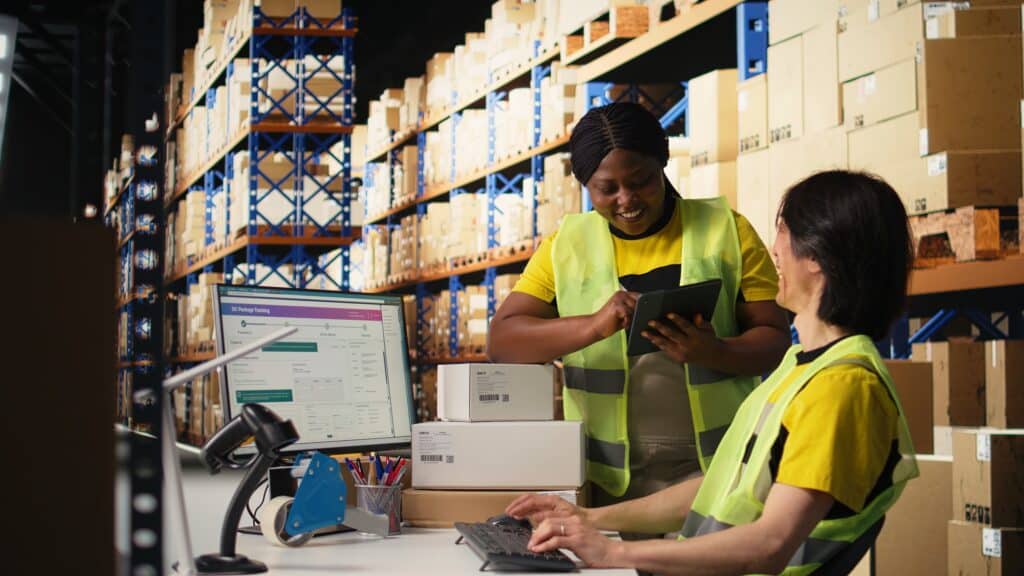
Sage 100 already gives distributors a lot to work with in the warehouse. It can manage inventory, purchasing, sales orders, shipping, lot and serial tracking, forecasting, replenishment, and barcode mobility.
For many companies, that covers the core pieces of keeping inventory organized and keeping transactions moving.
The next question is what warehouse employees need while they are actually receiving, moving, counting, picking, and shipping products.
That is where tools like mobile scanning, directed put-away, pick validation, cycle counting, and shelf-side lot or serial capture can come into play. These extensions work with Sage 100 to support more of the day-to-day activity happening on the warehouse floor.
In this guide, we will look at what Sage 100 warehouse management can handle and where added functionality fits/
What Can Sage 100 Handle in the Warehouse?

Sage 100 provides the inventory records and transactions that many distributors need to run the business.
Inventory Management can track items across warehouses. Purchase Order handles receipts. Sales Order supports order fulfillment and shipping activity. Lot and serial tracking provide traceability for controlled items.
Warehouse transfers are also built into Inventory Management. Users can select the source warehouse, destination warehouse, item, quantity, and applicable lot or serial number when transferring inventory.
This gives distributors a solid inventory foundation. Companies that also manufacture products may need to think about inventory alongside production activity, particularly when raw materials, work-in-process, and finished goods are moving between locations. Our guide to inventory management in manufacturing covers that broader inventory picture.
The table below shows where Sage 100 fits across the most common warehouse activities and where an additional layer may be useful:
| Warehouse Capability | Sage 100 Capability | What That Means in Practice |
|---|---|---|
| Receiving | Native With Limits | Sage can record purchase order receipts. Mobile scanning at the dock comes from barcode functionality. |
| Put-Away | Requires Added Warehouse Functionality | A warehouse layer can guide employees to specific storage locations and record the movement from a handheld device. |
| Bin Management | Native With Limits | Sage 100 Advanced currently includes ScanForce Multi-Bin Basic. More involved bin movement and directed location workflows require additional functionality. |
| Cycle Counting | Native With Limits | Sage supports physical count processing. Mobile count lists and directed counting come from additional warehouse tools. |
| Pick, Pack, Ship | Native With Limits | Sage handles the order and shipping records. Scan verification, directed picking, wave picking, and similar floor processes use warehouse extensions. |
| Lot and Serial Tracking | Native With Limits | Sage stores and tracks lot and serial information. Mobile scanning lets employees capture those identifiers while handling the item. |
| Multi-Warehouse Transfer | Native | Inventory Management supports transfers between warehouses. |
| Barcode Scanning | Added Warehouse Functionality | Sage 100 Complete currently includes Mobility for Barcode, which brings scanning into receiving, put-away, transfers, counts, picking, packing, and shipping. |
Sage currently packages some of this added functionality with higher Sage 100 editions. Sage 100 Advanced includes DSD/ScanForce Multi-Bin Basic, while Sage 100 Complete includes Mobility for Barcode.
That packaging matters when evaluating your current setup. Some companies may already own capabilities they have never fully configured or rolled out.
Where Does Sage 100 Warehouse Management Need Another Layer?
You can usually tell when Sage 100 needs another warehouse layer by looking at what is happening between the physical work and the system update.
Maybe receiving is still written down before someone enters it into Sage. Maybe pick tickets are printed and checked by hand. Maybe cycle counts, lot numbers, or bin movements still depend on paper or later entry.
Those are the kinds of signs that point to a gap between Sage 100 and the day-to-day work happening on the warehouse floor.
That gap matters because inventory accuracy affects more than the inventory count itself. A 2023 study published in Production found that inventory record inaccuracy can reduce picking productivity, increase lost sales, and create inventory buildup that affects warehouse capacity.
The sections below cover some of the most common signs that an additional warehouse layer may be worth considering.
Receiving Still Depends on Paper
Picture a typical receipt.
A truck arrives with 20 cartons. Someone checks the packing slip and confirms what showed up. Quantities are written down, damaged goods are noted, and controlled items may require lot or serial information.
Eventually, that information makes its way into Sage.
During that period, the inventory sitting on the warehouse floor may not match the inventory available in the system.
Barcode mobility moves data capture closer to the dock. Warehouse employees can scan the item while standing next to the shipment and capture the quantity during the receipt.
For distributors with frequent inbound shipments, that connection between receiving and the ERP becomes increasingly important. It is one reason warehouse functionality often becomes a major consideration when companies evaluate wholesale distribution software.
Put-Away Depends on Employees Knowing Where Things Go
Put-away becomes harder as the warehouse grows.
An experienced employee may know that a particular item usually belongs in a certain aisle. A newer employee may have to ask someone where it goes. Another employee may see an open space and put the inventory there.
Directed put-away adds instructions to the process.
A warehouse management layer can send an employee to a specific bin during receiving and record the movement from the mobile device.
This becomes more useful as the number of items, bins, employees, and daily receipts increases.

Cycle Counts Still Require Preparation
Physical counting is one area where the details of Sage 100 matter.
Sage 100 can use the Physical Count Worksheet to freeze the inventory records being counted. Those records become the basis for entering counts and reviewing variances.
A paper-heavy process can still require someone to prepare the count, distribute worksheets, collect the results, enter the quantities, and review the differences.
Mobile counting removes several of those handoffs.
A directed counting application can take the items prepared in Sage and display them to warehouse employees on a handheld device. The employee can work through locations and enter quantities from the aisle.
The count still feeds the Sage inventory process. The way employees perform the count changes.
Lot and Serial Numbers Get Captured Where the Product Is
Lot and serial tracking has two parts.
Sage needs a record of the identifier. Someone in the warehouse has to capture the correct identifier from the physical product.
Paper adds another handoff between those activities.
An employee may copy a serial number onto a sheet and enter it later. A long lot number can be mistyped. The wrong serial number can be attached to an order.
A scanner lets the employee capture the identifier while holding the item.
That becomes particularly important when warehouse transactions are connected to manufacturing. Companies using Sage 100 for production may already be managing material issues, completions, and other shop activity through tools such as the Sage 100 Work Order module. Warehouse scanning can help keep the physical inventory movement aligned with those production records.
Picking Needs Validation on the Warehouse Floor
Sage can hold the sales order and inventory record. Warehouse employees still need to find the product, pick the right quantity, and prepare the correct items for shipment.
Paper pick tickets rely heavily on the employee getting each step right.
A warehouse management layer can give the picker the order on a handheld device, direct them to a bin, and validate the item when it is scanned.
More advanced WMS options can also support directed picking, split picking, wave picking, pallet tracking, and order staging.
The amount of functionality you need depends heavily on warehouse complexity. A distributor moving a few hundred straightforward orders may mainly need mobile scanning and validation. A larger operation may need picking rules and location management as well.
What Does a Sage 100 WMS Add-On Change on the Floor?
A warehouse extension changes how employees interact with Sage 100 during the workday. More of the inventory activity can be captured while the product is being received, moved, counted, picked, or shipped.
That can include:
- Scanning receipts at the dock
- Sending put-away locations to a handheld device
- Validating picked items and quantities
- Recording cycle counts from the aisle
- Scanning lot and serial numbers directly from the product
- Confirming inventory movements as they happen
Sage 100 continues to hold the inventory and accounting records, while the warehouse layer gives employees a more practical way to work with those records on the floor.
The amount of functionality you need can vary quite a bit. Basic barcode collection may be enough for receiving, transfers, counts, and shipping. A fuller WMS can add features such as directed picking, staging, automatic transaction posting, multi-bin management, directed put-away, pallet tracking, and more advanced picking methods.
For a warehouse that still relies heavily on paper, it usually makes sense to start with the workflows creating the most manual work or the most inventory errors. You may only need a few added capabilities to make a noticeable difference.
Manufacturers should also look at how warehouse activity connects with Sage 100 Production Management, especially when materials are moving between storage, production, and finished-goods areas.
What Should You Review Before Adding Warehouse Software?
Start with the warehouse process you already have.
Walk through receiving, put-away, transfers, picking, packing, shipping, returns, and counting. Identify where each Sage transaction currently occurs and who enters it.
Pay particular attention to:
- Where warehouse employees still write information on paper
- Where the same information gets entered more than once
- Which inventory movements happen before Sage is updated
- Which processes depend heavily on employee knowledge
- Which transactions produce the most corrections or shipping mistakes
You should also review your current Sage 100 licensing and configuration. Some warehouse functionality may already be included in the Sage edition you own.
From there, you can define which warehouse capabilities are worth adding.
How BCS ProSoft Helps With Sage 100 Warehouse Management
At BCS ProSoft, we can help companies look at Sage 100 and the warehouse process together.
That starts with understanding how inventory currently moves through your operation. We look at receiving, bins, transfers, picking, shipping, physical counts, lot and serial requirements, and the points where employees interact with Sage.
We can also review the Sage 100 environment itself, including the modules you already use and the way warehouse transactions are currently handled.
From there, we can determine which changes fit the operation. That may include better use of existing Sage functionality, barcode mobility, multi-bin functionality, a fuller warehouse management system, or integration work.
If you are trying to figure out how far to extend your current Sage environment, talk with our Sage 100 consulting team. We can help you assess the warehouse process and determine which Sage 100 capabilities make sense for the way your business works.
Sage 100 Warehouse Management Comes Down to Execution

Sage 100 can cover much of the inventory and transaction activity behind a warehouse operation. The need for added functionality usually becomes clearer when you look closely at receiving, put-away, counting, picking, transfers, and lot or serial capture.
If those processes still depend on paper, later entry, or employee memory, mobile scanning and other warehouse tools may be worth reviewing. The right fit depends on the way inventory moves through your operation and which Sage 100 capabilities are already in place.
BCS ProSoft can help you review both sides of that equation. Our team can look at your current Sage 100 setup, the warehouse processes surrounding it, and the areas creating the most manual work or errors.
From there, you can determine whether the answer is better use of existing Sage functionality, barcode mobility, multi-bin capabilities, a fuller warehouse management system, or another change to the way Sage 100 supports the operation.
Talk with the BCS ProSoft Sage 100 consulting team to review your current warehouse setup and the options that fit your business.
Key Takeaways
- Sage 100 can handle core warehouse-related inventory tasks such as receiving, transfers, shipping, and lot or serial tracking.
- Additional warehouse tools become useful when employees need to scan, count, pick, or move inventory directly from the floor.
- Paper receiving, manual pick tickets, delayed updates, and desk-side lot or serial entry are common signs that another warehouse layer may help.
- Barcode tools can cover basic mobile data capture, while a fuller WMS can add directed put-away, advanced picking, pallet tracking, and more involved bin management.
- A broader ERP evaluation may be warranted when workarounds and process issues are affecting multiple departments, not just the warehouse.
Frequently Asked Questions
Does Sage 100 Have Warehouse Management?
Sage 100 includes inventory, purchasing, sales order, shipping, lot and serial tracking, and warehouse transfer capabilities. Additional Sage and Sage-connected warehouse functionality can add barcode scanning, bin management, directed workflows, and more advanced warehouse processes.
Does Sage 100 Support Barcode Scanning?
Yes. Sage currently offers Mobility for Barcode with Sage 100 Complete. It supports barcode use across processes including receiving, put-away, transfers, inventory counts, picking, packing, and shipping.
Can Sage 100 Track Multiple Warehouses?
Yes. Sage 100 Inventory Management supports inventory by warehouse and allows users to transfer items between warehouses. Lot and serial information can also be included in applicable transfers.
Does Sage 100 Support Bin Locations?
Bin functionality is available through Sage 100 warehouse offerings, including ScanForce Multi-Bin Basic with Sage 100 Advanced. Companies with more involved location requirements can add additional warehouse management functionality.
Can Sage 100 Track Lot and Serial Numbers?
Yes. Lot and serial tracking is part of Sage 100’s distribution capabilities. Barcode and warehouse applications can extend the process by letting employees scan those identifiers during warehouse activity.
When Should You Replace Sage 100 Instead of Adding a WMS?
A broader ERP evaluation makes sense when operational issues are affecting accounting, purchasing, inventory, reporting, integrations, and other areas alongside the warehouse. Warehouse-specific problems such as paper picking, delayed receiving entry, and manual counts are more likely to point toward added warehouse functionality.