


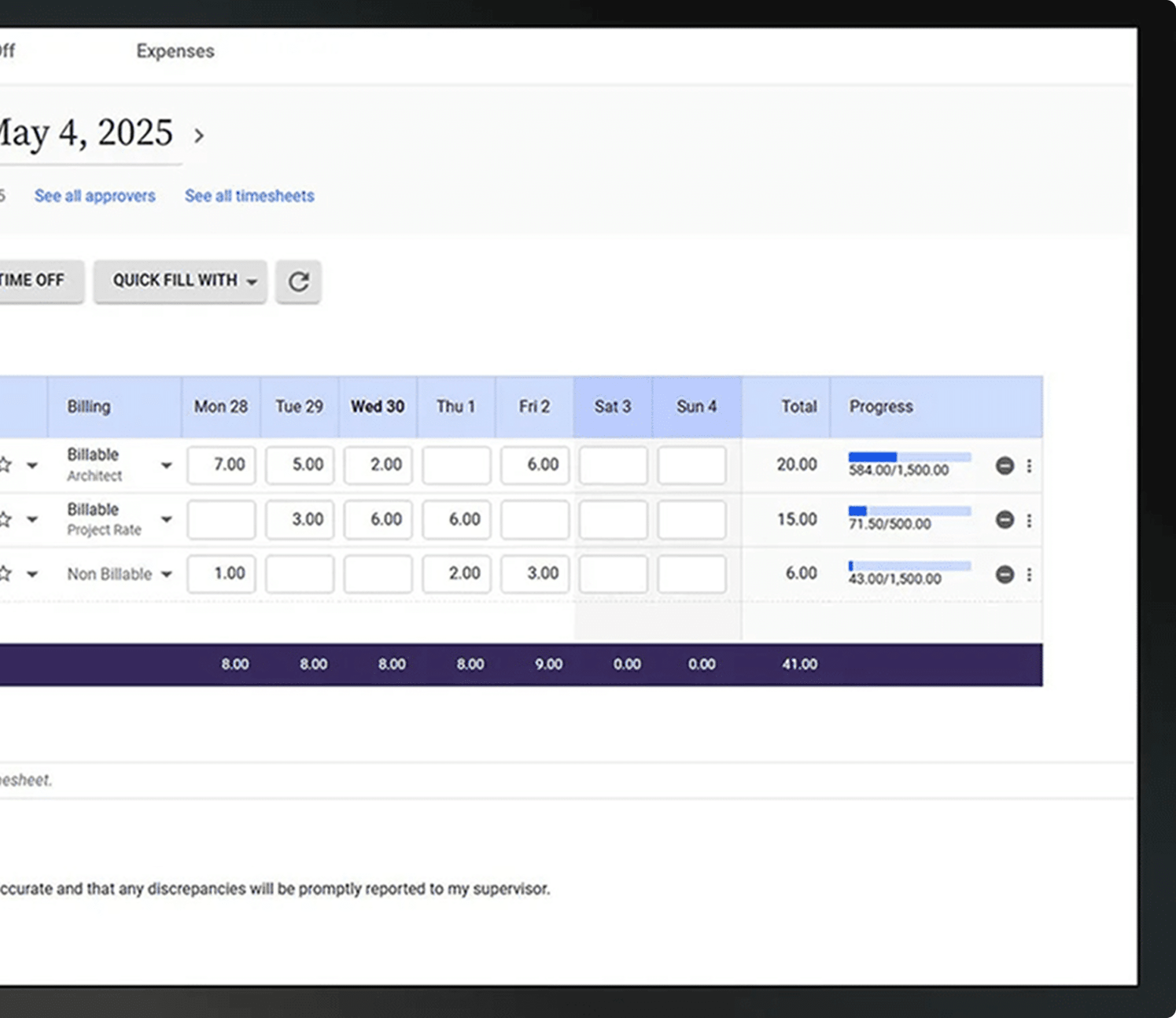
If you run engineering projects, time is the system. Hours decide billing, staffing, schedules, and whether a project stays healthy. Yet most engineering teams still chase timesheets, fix bad entries, and find problems after the damage is done.
Deltek Replicon gives engineering firms a clear way to capture hours as work happens, see project status daily, and hand finance clean data without extra effort from the field or the office.
Pick a time. Meet with a specialist. Leave with a plan that fits your engineering workflows. No pressure.
Engineering work does not happen at a desk all day. It happens across drawings, site visits, reviews, coordination calls, and field checks. Most time tools were not built for that reality.
Hours get entered late. Phases blur together. PMs wait on updates. Accounting spends days fixing what should have been right the first time. Deltek Replicon was built to match how engineering work actually flows, not how software wishes it did.

Engineering teams deal with ongoing issues that slow projects and raise stress levels. Late timesheets. Incomplete or missing hours. Updates scattered across multiple tools. Project drift that becomes visible too late. Budget conversations based on outdated data. Accounting teams spending hours fixing entries. These issues drain time from already busy teams and create uncertainty in financial planning.

Manual entry takes time from your engineers and leads to mistakes that influence billing and project accuracy. Many engineers fill out timesheets at the end of the week from memory. This creates gaps in billable and non-billable tracking and adds review work for accounting teams.
Project managers need current information to keep work on track. When hours appear at the end of a cycle, early signs of scope pressure go unnoticed. Issues surface only after they become larger problems. Teams lose the opportunity to guide the project while there is still room to adjust.
Many engineering firms rely on separate tools for scheduling, budgeting, and reporting. Each system holds a small part of the story. Project managers pull updates from several places, which slows down planning and makes capacity decisions harder than they need to be.
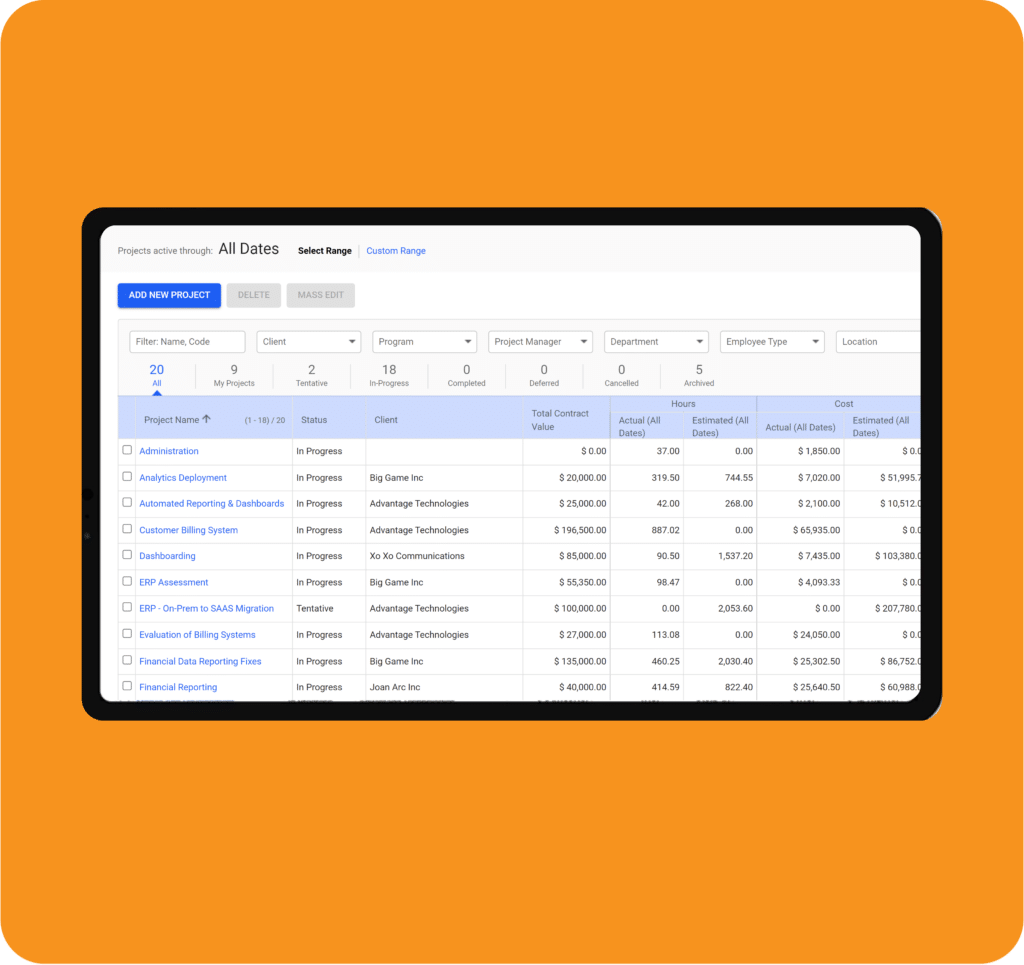
Replicon brings time tracking, project updates, labor rules, and financial reporting into one reliable system.
Engineers can track time quickly. Project managers can see progress as it happens. Controllers receive accurate hours aligned with payroll and billing.
The platform connects with Deltek, Sage, QuickBooks, and payroll tools so the entire firm works from the same source of truth.
Every capability is designed to remove friction, improve visibility, and reduce cleanup work across projects.
SmartMatch shows skills, certifications, workload, and availability for each engineer. Project managers can assign work with clarity and confidence. Staffing becomes a simple, informed process instead of a juggling act.
SmartBeats updates project information throughout the day. Hours appear as engineers work. Tasks and project activity show up in real time. Project managers see what is happening without asking for updates. This supports steady, informed decisions across the team.
Labor rules for overtime, breaks, union requirements, and approvals are applied inside the system. Exceptions are highlighted so accounting teams can review them quickly. This gives your firm a reliable compliance framework that supports multi-region and union environments.
Dashboards and custom reporting tools bring time spent, project progress, utilization patterns, billing status, and financial indicators into one view. Leaders see a clear picture of each project and can make decisions with confidence.
ZeroTime observes activity from desktop and browser sources and prepares timesheet entries automatically. This reduces missed hours and removes guesswork from daily time tracking. You see accurate data without extra effort from your team.
Engineers working between offices, job sites, or field locations can track time through mobile apps, CloudClock devices, or browser tools. Your entries remain accurate no matter where the work is happening.
Deltek Replicon is not a generic time tool adapted for engineering. It was designed for project-based firms with complex phases, field activity, and strict billing needs.
BCS ProSoft adds what software alone cannot. We configure the system to match how your teams already work. We train engineers, PMs, and finance together. We stay involved until the system fits your day-to-day reality.
Engineering firms using Deltek Replicon typically reduce missing or late time entries by 20 to 30 percent within the first few billing cycles. Clearer visibility into billable work leads to a 5 to 10 percent improvement in utilization, while accounting teams save several hours per billing cycle by spending less time reviewing and correcting entries.
Project managers gain same-day visibility into project activity instead of waiting for weekly summaries, which helps reduce billing adjustments caused by inaccurate hours. The result is calmer billing cycles, more reliable project data, and greater confidence in the numbers across the firm.
Leaders gain clarity into project activity and financial indicators. You will notice the shift the moment hours start flowing in. Your project managers stop chasing updates. Your accounting team sees accurate entries. Your leadership gains a reliable picture of project activity.
It brings time tracking, billing support, compliance rules, and real-time project updates together in one system built for engineering work. The platform supports accurate tracking so your team submits clear entries that align with project phases and billing needs. It also provides a foundation for project management by keeping information organized in one place for your accounting and operations teams.
Polaris’s SmartBeats updates project activity throughout the day so project managers can view progress, hours, and tasks as they happen. This helps with project tracking and creates a clear picture of what is happening inside each phase. The system also makes it easier to view team capacity, so project leads can stay ahead of upcoming needs.
Yes. The system connects directly with Deltek, Sage Intacct, QuickBooks, and payroll tools so engineering firms work from the same source of truth. Integrations help with project costs, billing, timesheets, and financial reporting so your team stays aligned without extra steps.
Yes. Engineers can track time on mobile apps, CloudClock devices, or browser tools. This supports teams working across offices, job sites, and field locations. The system keeps entries consistent, so most engineering firms can track field activity without forcing crews to return to the office.
Yes. Hours can be categorized by project, task type, and phase so firms can clearly separate billable and non-billable work. This allows operations and accounting teams to manage resource allocation and understand how much time is spent across different activities.
Implementation includes assessment, configuration, data mapping, integrations, and role-based training. Each team receives guidance shaped around engineering workflows so the system fits the way they already work. Support includes setup for team management, time tracking, approval flows, and reporting, so the entire firm gets comfortable quickly.
Most teams see improvements as soon as hours begin flowing into the system. Project managers view activity in real time, accounting teams review clear entries, and leadership gains a current picture of active work. Early improvements usually show up in billing prep, entries submitted on time, and better use of popular project management tools without extra effort from the team.
Engineering firms face growing pressure around billing cycles, project deadlines, fixed fee projects, time accuracy, and client expectations. Putting a dependable system in place now helps your team create clarity around work, make better decisions, and reduce stress across the entire workflow. It also supports long-term planning so your firm grows with confidence and avoids issues that slow progress later.

(855) 980-0072

Schedule a call to look at how your engineering teams track time today and where visibility breaks down. You will see how Deltek Replicon would fit into your workflows and what would improve first.
