Replicon mobile time tracking software brings control to how employee time moves through your business. Instead of chasing time entries and fixing errors at the end of each pay period, you get a system where time is captured, approved, and ready for payroll from the start.
Employee time aligns with job costing, approvals happen before payroll, and records hold up when reviewed. The result is cleaner payroll, clearer labor costs, and compliance you can stand behind.
We’ll map your current time tracking process and show you exactly where you can improve.
Every pay period, your team chases time entries and manually fixes what the system failed to capture. Replicon solves this at the source with mobile time capture, configurable approval workflows, and direct payroll integration.
20-minute working session. We review your current time-to-payroll process and identify where the friction is. No pitch, no pressure.
Most Replicon implementations focus on getting time captured. Ours focus on what comes after — payroll accuracy, job costing alignment, and the approval workflows that make finance confident in the numbers.
BCS ProSoft has spent decades working with mid-market companies on the intersection of time data and financial operations. We configure Deltek Replicon to match how your payroll periods close, how your supervisors work, and how your ERP expects data to arrive.
The result is not just a time tracking system. It is a payroll readiness platform built around how your business actually runs.
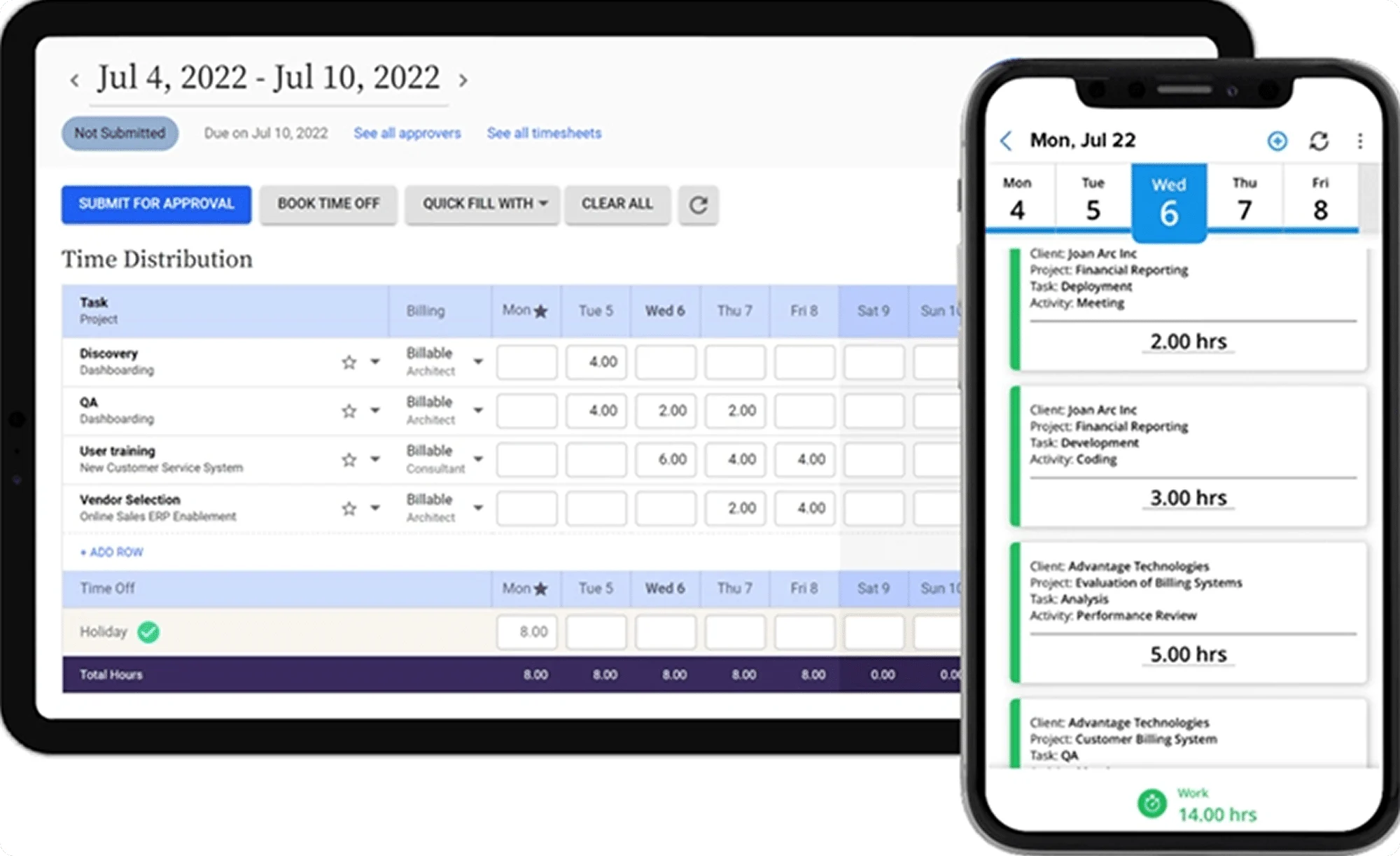
Time tracking issues rarely start as major problems. They build quietly as more employees, job sites, and approvals add complexity that the system was never designed to handle.
Payroll should be a controlled process, but it often turns into a review cycle. Finance teams spend hours correcting time entries, validating employees hours, and chasing approvals before they can process payroll. When time tracking lacks structure, every pay period depends on manual checks instead of reliable data.
Labor costs lose clarity when employee time is not tied cleanly to projects and cost codes. Across multiple job sites, teams struggle to track project progress or understand where time spent is actually going. Without consistent job costing, margin analysis becomes delayed and difficult to trust.
Attendance tracking breaks down when approvals are inconsistent and oversight is limited. Managers cannot confidently track time or verify when employees arrive, especially across remote workers and field teams. This creates gaps in compliance, increases exposure to payroll errors, and weakens confidence in accurate records.


Replicon changes how time tracking shows up across your business. Instead of creating more work at the end of each pay period, it gives you a system you can rely on from the start.
Payroll becomes more predictable. Finance spends less time correcting time entries and more time reviewing what actually matters. The back-and-forth between teams drops because approvals happen before payroll, not during it.
Job costing becomes clearer. You can see where labor costs are going while work is still in progress, not after the fact. That makes project decisions faster and more grounded in real data.
Managers gain visibility without chasing updates. Employee time, attendance, and approvals are easier to track across job sites and remote teams, so oversight does not depend on constant follow-up.
The result is less friction across payroll, better visibility into labor, and a system that supports how the business actually operates day to day.
Payroll closes without chasing time entries.
Supervisors approve employee time before the pay period ends.
Job costing reports match what happened at the job site.
You review exceptions instead of rebuilding exports.
Your team stops asking whether the numbers are right.

Replicon’s mobile app gives field employees a simple, reliable way to log time from any job site — with or without cellular connectivity.
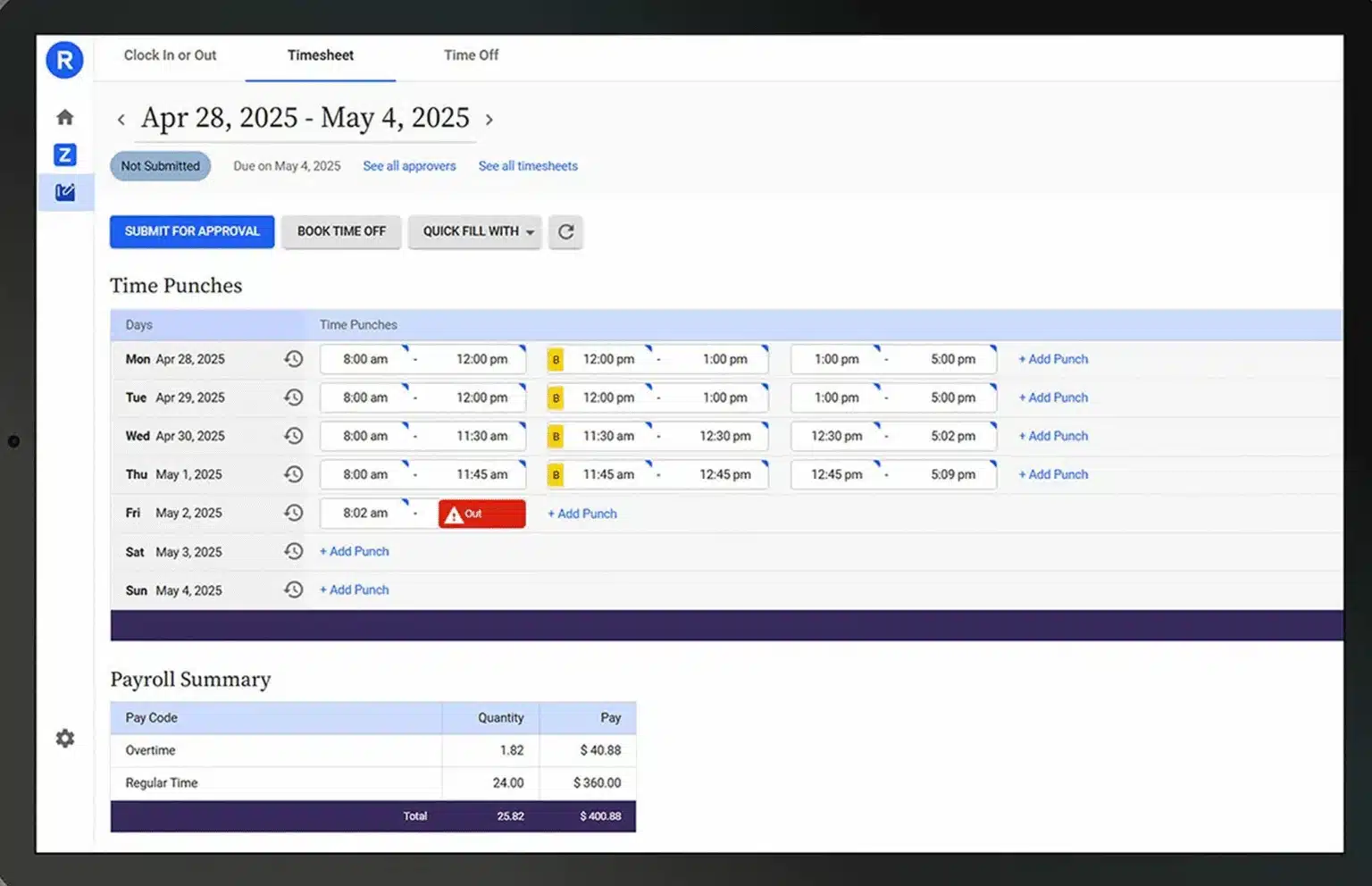
Time entries sync when the device comes back online. You can enforce clock-in rules by location, shift, or job code, and restrict who can edit submitted entries. Time clocks can be deployed at fixed sites for punch-based environments. Every entry is timestamped, attributed, and ready for supervisor review.
Result: Time is captured at the source. Your payroll team stops rebuilding entries from paper and memory.
Overtime rules, shift differentials, pay period structures, and attendance policies vary by role, department, and location.
Replicon lets you configure these rules once, enforce them automatically, and adjust them without touching a spreadsheet. Employees see what they are owed. Supervisors see exceptions before they become errors. Finance closes the period with data that already accounts for your policy requirements.
Result: Your payroll rules are built into the system, not maintained manually by your HR team.


Labor is the largest variable cost on most projects. Replicon lets you map time entries directly to projects, phases, and cost codes, giving project managers real-time labor cost visibility and giving finance accurate job cost reports without manual aggregation.
When actuals deviate from budget, the alert comes from the system, not from an end-of-month reconciliation conversation.
Result: Job costing reports reflect what actually happened on the job site, not an approximation rebuilt from time sheets.
Time off requests, leave balances, and absence tracking are often managed in a separate system from time and attendance, creating gaps in scheduling visibility and payroll accuracy.
Replicon consolidates leave management into the same platform your employees use to log daily time. Requests route through the correct approval chain. Balances update automatically. Payroll receives accurate leave data alongside regular time entries.
Result: Leave is visible to managers, accounted for in scheduling, and accurate in payroll without a separate reconciliation step.
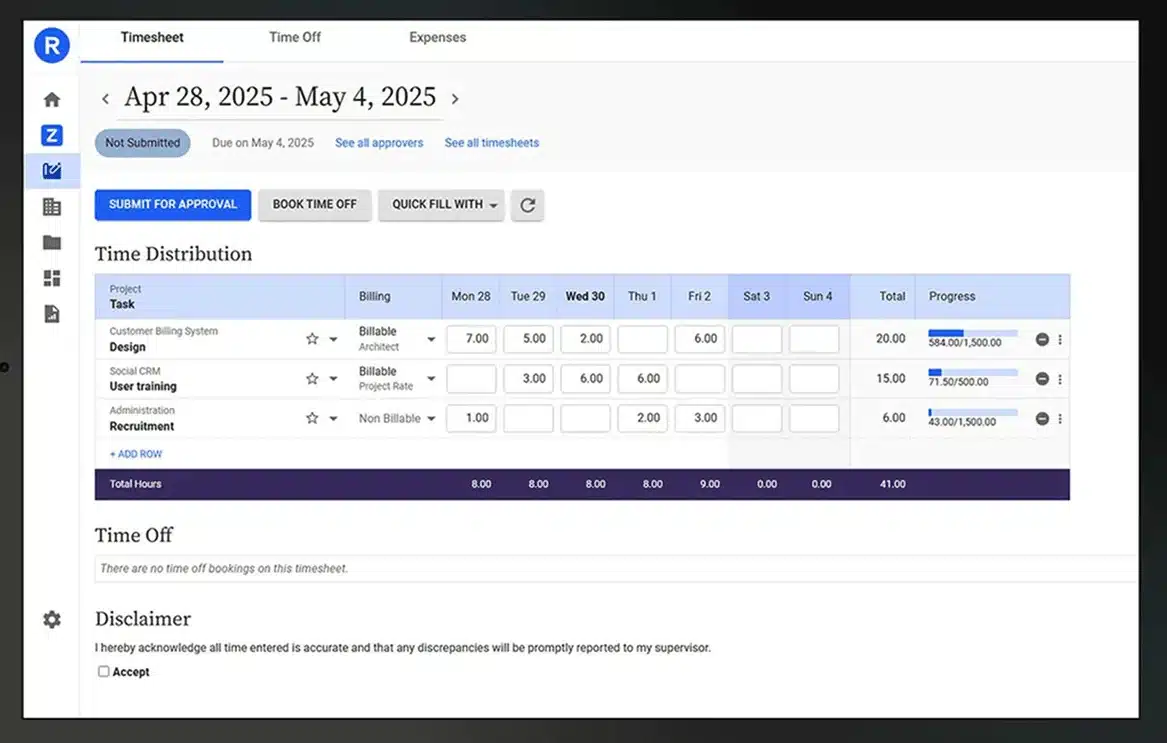

Replicon integrates with major payroll processors and ERP platforms, including Sage Intacct, ADP, Paylocity, and others.
Time data exports in the format your payroll system expects, with no manual reformatting, no copy-paste, and no data translation step. Integration configuration is handled at implementation. Once it is live, payroll runs on data that flows directly from approved time entries to your processor.
Result: Payroll runs on approved, structured data. The export is a step, not an event.
For field service and construction teams, knowing where employees clocked in is as important as knowing when.
Replicon’s GPS time clock captures location at the point of entry, giving supervisors the ability to validate job site attendance and identify exceptions — employees who clocked in outside the job site radius, or who submitted time for locations they were not present at. Location data is stored with the time entry and available for audit.
Result: Attendance is verified at the job site level. Time fraud is surfaced before payroll closes.

Our implementation process is built around your payroll reality, not a generic checklist. Each phase produces a measurable outcome before we move to the next.
We start with your existing time-to-payroll process — how time is collected, how it flows to payroll, where the manual steps are, and where the errors originate. This review gives us the configuration requirements before we touch the system.
We map your pay rules, job codes, approval chains, and ERP integration requirements to Replicon’s configuration options. Every decision is documented against your payroll processing requirements and reporting needs.
We deploy in phases — starting with a pilot group, validating data flow, and expanding once payroll processing accuracy is confirmed. This protects your payroll during transition.
We test exports, review reporting capabilities, and train supervisors and finance teams. Your team knows exactly how to process payroll, manage exceptions, and run reports before we step back.
We’ll review your time-to-payroll workflow, identify the configuration requirements for your environment, and tell you honestly whether Deltek Replicon is the right fit for where you are today.
No pitch. No pressure. Just a clear picture of what your Replicon implementation would actually look like.
Replicon captures the full audit trail behind every time entry: who submitted it, when it was approved, what changes were made, and by whom. When a payroll discrepancy surfaces, the investigation starts with a report, not a conversation.
Out-of-the-box reporting includes labor cost by project, overtime exception reports, attendance and absence summaries, approval status by pay period, and time-versus-budget variance. Custom reports can be built without IT support. Data can be exported in structured formats compatible with your ERP or analytics platform.
For organizations subject to prevailing wage, certified payroll, or government contract reporting requirements, Replicon supports the structured data collection required to produce those reports accurately and on schedule.

Time tracking for construction and field service is not the same problem as time tracking for an office. Employees work across multiple job sites in a single week. Pay rules vary by union classification, project type, or prevailing wage jurisdiction. Supervisors are in the field, not at a desk. Paper time sheets are still the norm at many companies that would prefer something better.
Replicon was built for this environment. Mobile-first design, offline capability, GPS validation, and project-level time coding are native features — not add-ons.

Deltek Replicon mobile time tracking software can support payroll accuracy, job costing clarity, and project progress visibility. The outcome depends on configuration.
We will help you build it correctly.
We’ll review your process and identify possible fixes. No pitch, no pressure.
The best option depends on complexity. Many time tracking apps work for simple environments, but when payroll, job costing, and approvals intersect, you need structure. Replicon stands out because it connects employee time to payroll processing and project controls in one system. It is built for organizations that cannot afford recurring reconciliation work and need finance-grade oversight, not just basic scheduling.
Yes. Replicon includes a gps time clock app within its mobile experience. It supports gps tracking, captures gps location when configured, and can provide real time gps tracking where policy allows. Teams operating across multiple job sites can use gps capabilities to validate employee time while maintaining structured approvals. The system stores gps data and location data according to company configuration and compliance requirements.
Yes. Replicon allows teams to track time across distributed locations while aligning entries to cost codes and projects. Managers can track project progress and review time spent at the job site level before approvals move forward. For organizations that require tighter controls, you can create virtual boundaries around job sites and configure how workers clock in from the field.
Replicon routes time entries through structured approvals before teams process payroll. By validating tracking hours, reviewing exceptions by pay period, and aligning employee time to cost structures, finance can streamline payroll processing. Supervisors confirm entries before export, which reduces recurring corrections and gives leadership confidence in how payroll will process.
Replicon can support small business environments and it is particularly strong for organizations with layered approvals, job costing, and reporting demands. Paid plans start based on configuration and scope. While some teams compare tools like gps time tracking clockshark or other entry-level options, Replicon offers advanced features, deeper reporting, and structured governance that growing companies require.
Replicon supports tracking employee attendance through configurable approval workflows and mobile submissions. Supervisors can review when employees arrive, confirm employee time entries, and monitor adherence to shift expectations. Optional gps tracking elements help validate attendance patterns without relying solely on manual oversight.
Yes. Replicon connects time tracking to job costing and client billing structures. When employee time is aligned properly, leadership gains visibility into labor costs and project performance. This allows finance and operations teams to reconcile data before invoices go out and maintain clarity on how labor impacts margins.
After configuration, your internal support team and our consultants monitor adoption, refine workflows, and help address edge cases. Replicon can automatically clock reminders for missing entries, prompt supervisors to approve before cutoff, and provide visibility into tracking app activity. The focus remains on reliable oversight and long-term stability rather than one-time setup.