
Field teams and finance teams are often looking at the same project from two very different systems.
In the construction world, field teams and finance teams often see the same project through different systems.
Procore captures what is happening on the job. Deltek Vantagepoint shows how that activity affects cost, billing, staffing, pipeline, and overall performance.
When the systems stay disconnected, teams re-enter data, updates reach finance late, WIP reports miss current commitments, and billing slows down. That’s where Procore integrations come in.
A Procore integration with Deltek Vantagepoint can connect the field and office so information moves faster, reporting stays current, and leadership gets a clearer view of project health.
This guide explains how Procore and Vantagepoint can work together, where the connection adds value, and what Deltek’s latest announcement means for Vantagepoint users.
Does Procore Integrate With Deltek Vantagepoint?
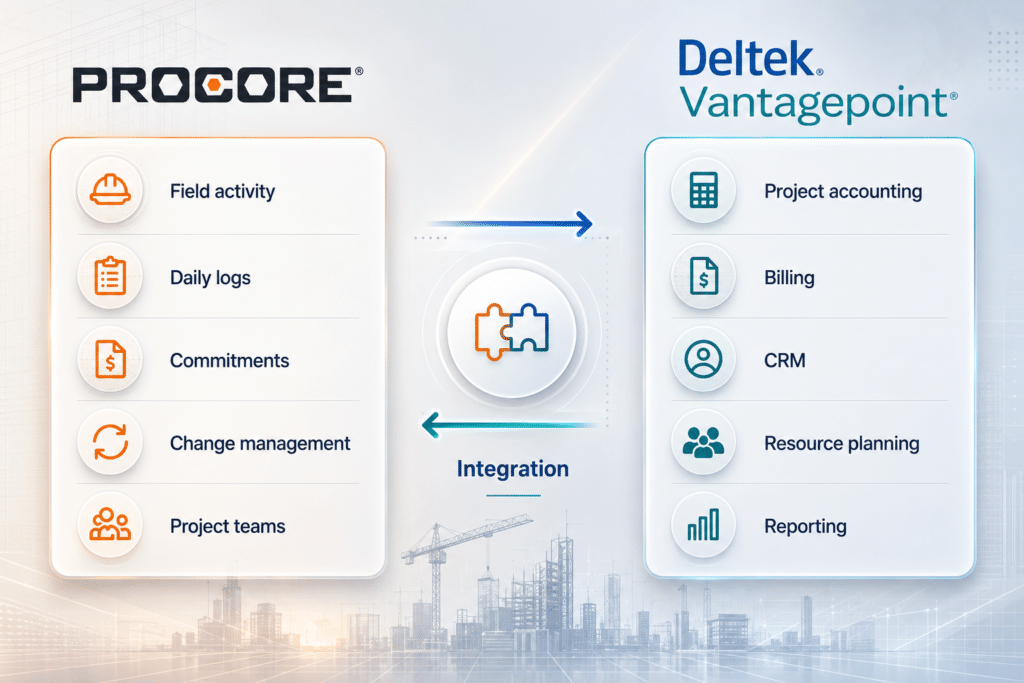
Yes. Procore can integrate with Deltek Vantagepoint, and the connection can bring field activity, financial data, staffing, billing, and reporting into a more connected workflow.
Each system has a clear role.
Procore supports the day-to-day construction work managed by project teams, field staff, and subcontractors. Vantagepoint supports the accounting, CRM, billing, resource planning, and reporting work used by finance and leadership.
The chart below shows how that field-to-office data flow may work across the most important areas.
| Business area | Procore’s role | Vantagepoint’s role | Typical data flow |
|---|---|---|---|
| Project setup and budgets | Field project structure and working budget visibility | Official project record, financial structure, and approved budget | Vantagepoint to Procore, with approved revisions returned when needed |
| Vendors and commitments | Subcontracts, commitments, and project-level vendor activity | Vendor master records and financial controls | Vendor data to Procore and approved commitments to Vantagepoint |
| Job costs | Daily field records, labor activity, materials, and project progress | General ledger, project ledger, WIP, actual costs, and cost-to-complete | Procore to Vantagepoint |
| Change orders and billing | Change documentation, approvals, and pay applications | Contract values, billing, revenue, and receivables | Approved records from Procore to Vantagepoint |
| Resource planning | Active project demand and schedule information | Staffing forecasts, utilization, and capacity planning | Procore project demand to Vantagepoint |
| CRM and project handoff | Receives the awarded project for execution | Manages clients, opportunities, proposals, and pipeline | Won work from Vantagepoint to Procore |
The exact setup depends on which records need to move, how often they need to update, and which platform should own each type of data. Once those decisions are clear, the integration can support several high-value field-to-office workflows.
Five Ways a Procore + Deltek Vantagepoint Integration Improves Field-to-Office Operations

The payoff of a Procore and Deltek Vantagepoint integration becomes clearer when you look at the day-to-day work.
Here are five ways the connection can improve project delivery, finance, and planning:
1. Reduce Double Entry Across Projects, Budgets, Vendors, and Commitments
Disconnected systems often force people to enter the same information more than once.
Finance may create a project in Vantagepoint, while a project administrator creates it again in Procore. Cost codes, budget lines, vendor records, and contract values may also be duplicated.
That creates more room for mismatched records.
An integration can send the approved project structure from Vantagepoint into Procore, including the project number, client, address, organization, phases, cost codes, and original budget.
Vendor records can follow a similar path. Vantagepoint may remain the owner of payment details, tax information, accounting fields, and vendor status, while approved vendor data moves into Procore for project use.
Commitments may move in the other direction. A subcontract or purchase commitment created and approved in Procore can feed committed-cost reporting in Vantagepoint.
The key is giving each record one owner. When both systems can freely edit the same fields, conflicts become more likely. Clear ownership reduces manual entry and gives finance more current information.
2. Improve Job Costing and WIP Visibility
Project managers make daily decisions based on labor, materials, commitments, production, and schedules. Finance looks at how those decisions affect project cost, revenue, WIP, and margin.
When field records stay in Procore until someone moves them manually, WIP reports can fall behind what is actually happening on the project.
A connection can send approved financial data from Procore into Vantagepoint, including:
- Labor and material activity
- Subcontracts and purchase commitments
- Approved change orders
- Vendor invoices and pay applications
- Project progress
Those values can then become part of the project ledger, general ledger, WIP reporting, and cost-to-complete analysis in Vantagepoint.
Transfer timing should match the type and approval status of the data. Some records may move immediately. Others may move hourly, nightly, or after approval.
Finance may not want an unapproved field estimate posted as an accounting transaction, even though project managers still need to see that pending exposure. A well-planned connection can support both needs and give everyone a more current view of project cost.

3. Move Approved Changes and Pay Applications Into Billing Faster
Change activity often starts in Procore.
A project manager identifies a scope change, adds supporting documents, collects pricing, and sends the change through approval. Once the change is approved, the financial impact needs to reach Vantagepoint.
Without a connection, finance may receive the information through email, a spreadsheet, a PDF, or a meeting. Someone then has to enter the approved value into the accounting system.
That can delay billing and create differences between the project and contract records.
A connected workflow can send approved change information into Vantagepoint, including:
- Change number and description
- Client or vendor
- Cost and revenue impact
- Approval status
- Supporting documentation
Vantagepoint can then use that information for contract management, billing, revenue, receivables, and project reporting.
Pay applications can follow a similar process. Procore can hold the project-facing submission and approval activity, while Vantagepoint holds the resulting accounting and payment records.
The exact setup will depend on how the company bills.
A general contractor may rely heavily on retainage, subcontractor billing, and AIA-style applications. An engineering or EPC firm may use percent-complete, milestone, cost-plus, unit-based, or professional-fee billing.
The connection needs to reflect the company’s actual process. When approved information reaches finance sooner, billing can move forward with fewer missing details and less reconciliation work.
4. Match Project Demand With Available Staff
A&E and EPC firms often share engineers, architects, designers, project managers, inspectors, schedulers, procurement staff, and commissioning specialists across several projects.
Project schedules and active demand from Procore can feed the company’s staffing plan in Vantagepoint.
Leaders can then compare current project needs with:
- Available capacity by role or discipline
- Planned project starts
- Utilization targets
- Hiring needs
- Upcoming work in the pipeline
A delayed site start could free a project manager for another assignment. An accelerated commissioning date could create a staffing conflict earlier than expected.
Vantagepoint gives leadership a place to review those effects across the full project portfolio. That matters most for firms that manage design, engineering, consulting, and construction work within the same business.
5. Create a Cleaner Handoff From Won Work to Project Execution
Vantagepoint can track a project before it becomes an active job, including the client, opportunity, estimated fee, project type, probability, expected start date, and proposal details.
Once the firm wins the work, that opportunity needs to become a live project.
An integration can pass selected information into Procore once the opportunity reaches an approved stage. The handoff may include:
- Client and project details
- Project number and location
- Contract value and planned dates
- Project manager
- Approved budget structure
This gives the project team what it needs to begin work without rebuilding the record from scratch.
The firm can also preserve the link between the original estimate and the final project result. Leadership can compare what the company expected during the pursuit with what happened during execution, while estimators and business development teams can see which project types and clients produced profitable work.
This is one reason Deltek Vantagepoint for AEC firms can play a larger role than project accounting alone.
What About the Procore + Deltek ComputerEase Integration?
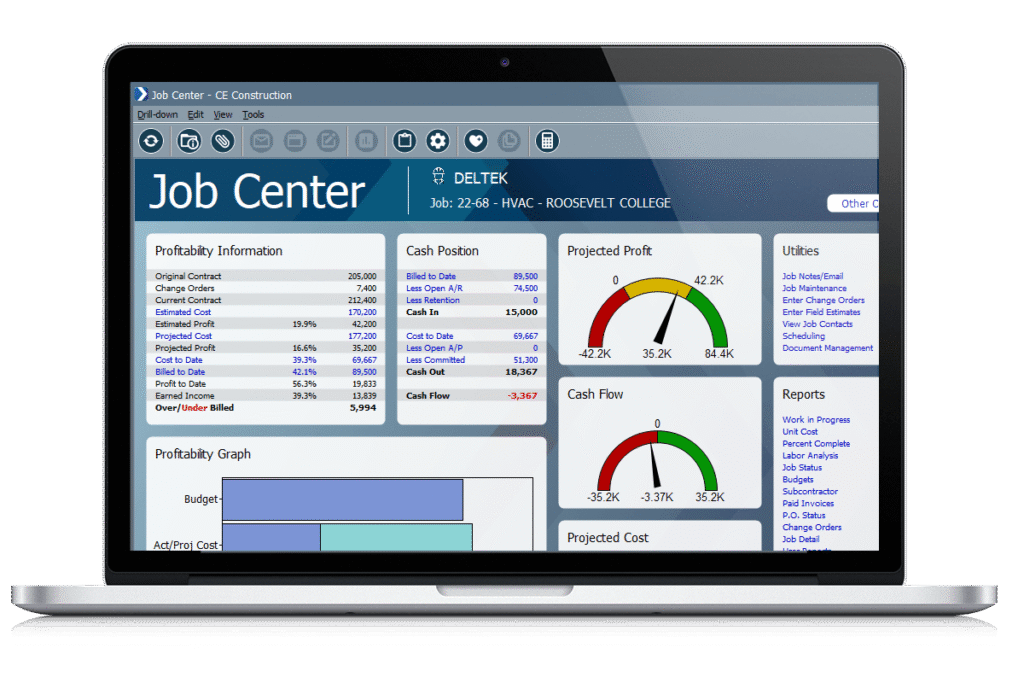
Recently, Deltek announced an updated ComputerEase and Procore integration. The Deltek-built connection is designed to send job and budget data from ComputerEase into Procore for contractors using supported Procore modules.
That announcement matters because it gives ComputerEase users a defined, Deltek-supported way to connect parts of construction accounting with Procore.
It does not establish ComputerEase as the default Deltek product for every company using Procore.
ComputerEase is built primarily for residential, commercial, and specialty contractors. Its product focus includes construction accounting, payroll, job costing, equipment, and field-driven contractor workflows.
Vantagepoint serves a different type of project-based business. A&E, engineering, consulting, design-build, and EPC firms may use it across CRM, resource planning, project accounting, billing, and portfolio reporting.
For those companies, replacing Vantagepoint to gain a packaged connector could affect much more than the Procore workflow.
The better question is whether the current Vantagepoint environment still fits the business.
When Vantagepoint Is the Right Office System for Procore
The choice between Vantagepoint and ComputerEase depends on the broader business model.
| Decision factor | Procore + Vantagepoint | Procore + ComputerEase |
|---|---|---|
| Typical fit | A&E, engineering, consulting, design-build, and EPC firms | General contractors and specialty contractors |
| Primary value | Connect field activity with project accounting, CRM, resource planning, billing, and portfolio reporting | Connect field activity with contractor accounting, payroll, retainage, and job costing |
| Labor model | Professional and technical staff shared across projects and disciplines | Field crews, union labor, certified payroll, and prevailing-wage requirements |
| Project lifecycle | Pursuit, planning, design, engineering, execution, billing, and closeout | Construction execution, contractor accounting, payroll, and field-cost control |
| Procore route | Scoped connector, middleware, integration platform, or API workflow | Deltek-supported integration for defined ComputerEase records |
| BCS ProSoft support | Vantagepoint selection, implementation, configuration, and integration planning | Not currently promoted as part of BCS ProSoft’s product practice |
When Keeping Vantagepoint Makes Sense
Keeping Vantagepoint is usually the stronger direction when the company relies on it for:
- CRM and pipeline management
- Opportunity-to-project handoff
- Project accounting
- Professional-services billing
- Resource forecasting and utilization
- Labor planning across disciplines
- Company and portfolio reporting
- Historical project records
- Other business integrations
In this situation, the Procore connection should support the existing Vantagepoint operating model.
The integration may take more planning than a narrowly packaged connector, but the company keeps the ERP capabilities already supporting the rest of the business. BCS can help determine which records should move, which platform owns them, and where integration work will provide the most value.
For firms planning broader system changes, Deltek implementation planning can help clarify scope, ownership, testing, and rollout requirements before work begins.
When ComputerEase May Be Relevant
ComputerEase may deserve consideration when a business operates primarily as a contractor and its main back-office requirements center on construction payroll, retainage, AIA billing, equipment, subcontractor accounting, and field labor.
BCS ProSoft can help Vantagepoint users assess that decision by reviewing the capabilities they rely on today, the Procore workflows they need to connect, and the business impact of changing systems. If ComputerEase appears to be a better fit, BCS can help clarify the next questions to take to Deltek or a qualified ComputerEase provider.
Conclusion: Vantagepoint Firms Still Have a Procore Integration Path

A stronger connection between Procore and Vantagepoint can give project teams, finance, and leadership a clearer view of the same work.
Field activity can reach finance sooner. Approved changes can move into billing with fewer delays. Job-cost and WIP reporting can reflect more current information. Leadership can make staffing and forecasting decisions with a fuller view of project demand and performance.
BCS ProSoft can help you identify the workflows worth connecting first, define which system owns each record, and scope an integration around the way your firm already works.
Discuss Your Procore and Vantagepoint Setup
Key Takeaways
- Procore integrations can connect field activity with the accounting, billing, CRM, resource planning, and reporting capabilities in Vantagepoint.
- The integration can reduce repeated entry across projects, budgets, vendors, commitments, and change activity.
- More current field information can support job-cost, WIP, billing, and cost-to-complete reporting.
- Linking the systems can strengthen project handoffs, staffing plans, forecasts, and portfolio reporting.
- Deltek’s packaged ComputerEase connection is relevant to contractor-led businesses, but it does not remove the case for Vantagepoint in A&E, engineering, design-build, and EPC firms.
- BCS ProSoft helps Vantagepoint users assess and plan the right Procore integration.
Frequently Asked Questions
Does Procore integrate with Deltek Vantagepoint?
Yes. A scoped integration can connect Procore’s project management platform with Deltek Vantagepoint through a third-party connector, middleware, an integration platform, or a custom API workflow.
The exact setup depends on the records the company needs to share. Common examples include budgets, vendors, commitments, approved changes, labor activity, billing details, and job costs. By connecting project management data with financial records, teams can reduce manual data transfers and get approved information to finance sooner.
Is there a native Procore and Deltek Vantagepoint integration?
Deltek currently promotes a Deltek-built and maintained Procore integration for ComputerEase. Vantagepoint supports API and middleware options, but companies should not assume an equivalent turnkey native connector is available.
Any Vantagepoint connection should be reviewed for data coverage, transfer timing, support ownership, and error handling. A well-planned setup can provide more connectivity without requiring teams to depend on repeated exports or manual input.
What is Deltek ComputerEase?
Deltek ComputerEase is construction accounting and enterprise software built for residential, commercial, and specialty trade contractors. It supports job costing, payroll, billing, equipment management, and other accounting functions tied to field-driven work.
The system is designed around many of the processes that shape the construction industry’s daily operations, including labor costs, retainage, subcontractor payments, and financial reporting.
What does the ComputerEase and Procore announcement mean for Vantagepoint users?
The announcement gives ComputerEase customers a Deltek-supported connection for defined job and budget records. It does not mean Vantagepoint can no longer work with Procore or that firms need to replace their current ERP.
Vantagepoint users can still pursue a scoped connection that reflects their project accounting, CRM, resource planning, billing, and reporting requirements. Deltek’s longstanding integration focus across its products does not remove the need to evaluate each company’s full operating model.
Should we replace Vantagepoint to get the ComputerEase integration?
A company should compare the scope of a Vantagepoint connection with the full impact of replacing its ERP. A system change can affect accounting, billing, CRM, reporting, resource planning, historical data, staff training, and existing integrations.
ComputerEase may make sense when the business operates mainly as a contractor.
Keeping Vantagepoint may be the better call when leadership depends on professional labor planning, project accounting, and actionable insights across the firm’s projects.
The decision should support smarter decision making across the full business rather than solve one connection issue.
Which firms are usually better suited to Vantagepoint?
Vantagepoint is commonly suited to architecture, engineering, consulting, design-build, and EPC firms that manage professional labor, complex projects, resource forecasts, CRM, billing, and portfolio reporting.
It can be especially useful when the company needs one system to connect pursuit, staffing, accounting, and reporting across each project.
How much does a Procore and Vantagepoint integration cost?
Cost depends on the number of records involved, transfer direction, update frequency, approval logic, field mapping, historical data, reporting needs, licensing, custom development, testing, and ongoing support.
A focused connection covering a few approved records will usually require less work than a bidirectional integration covering vendors, commitments, changes, invoices, costs, and labor. Companies should also consider the time spent maintaining disconnected workflows when comparing the cost of integration with the cost of keeping the current process.