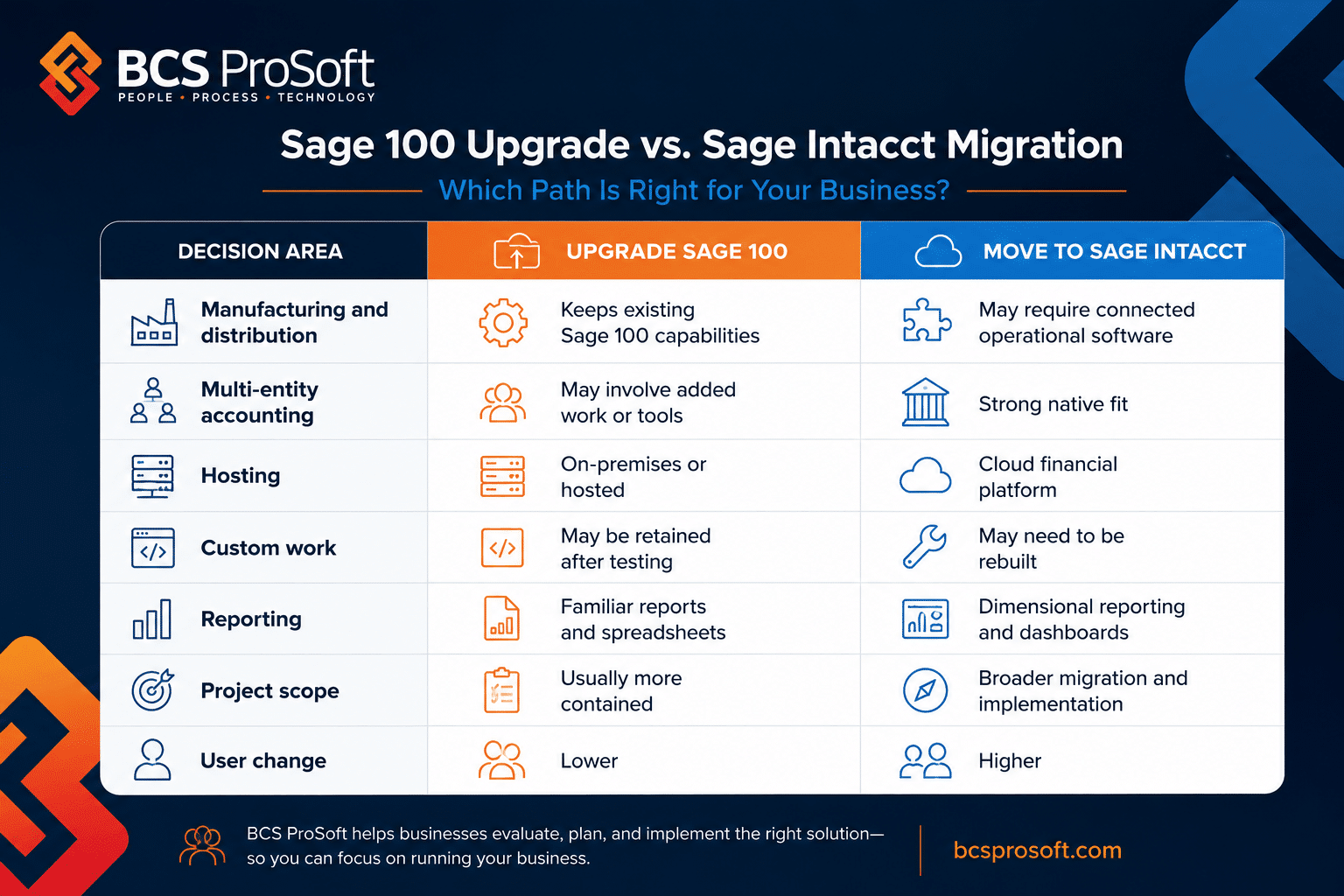
QuickBooks is one of those tools a lot of architecture and engineering firms start with because it feels familiar.
Your bookkeeper knows it, your accountant knows it, and your leadership team can understand the basics without a huge learning curve. For a young firm with a few people, a handful of projects, and fairly basic billing, that can be enough.
Then the firm starts landing larger projects, hiring more people, adding phases, billing across more contract types, and asking project managers to own financial performance.
That is when QuickBooks starts to feel tight.
For many firms, the conversation starts with a simple question: “Are we outgrowing QuickBooks?” The honest answer depends on how much time your team spends filling gaps with manual workarounds, custom trackers, and back-and-forth status checks.
This blog walks through the common signs that QuickBooks has hit its ceiling for an A&E firm, why so many firms start there in the first place, and how Deltek Vantagepoint can support the next stage of firm operations.
Why So Many A&E Firms Rely on QuickBooks
QuickBooks is common in A&E firms because it is familiar, affordable, and easy to get running. Most bookkeepers and accountants already know it, and it covers the basics: invoices, expenses, bank reconciliation, and financial reporting.
That makes it a practical first system for small firms with a few projects and a lean team. Recent estimates put QuickBooks usage at more than 36 million businesses worldwide, so it is no surprise that many small to mid-sized A&E firms start there too.
The setup usually works until the firm needs more project-level detail. Once project managers need current budget status, labor burn, billing progress, and remaining fee, QuickBooks often needs help from spreadsheets, shared files, or separate project management tools.
The 5 Signs to Look for When Considering if Your Firm Has Outgrown QuickBooks

Most A&E firms do not wake up one day and suddenly decide QuickBooks is the problem. The signs usually show up in everyday work: billing takes longer than it should, project managers keep asking accounting for updates, and leadership waits on reports that require too much manual cleanup.
Those kind of issues matter because architecture and engineering firms run on project performance. Labor, scope, contract terms, staffing, billing, approvals, and project profitability all need to stay connected. Once those pieces start living in too many different places, teams have a harder time spotting issues while there is still time to make a good decision.
The signs below are common in growing A&E firms that have stretched QuickBooks beyond what it was originally meant to handle.
Sign 1: Your Team Relies on Too Many Manual Workarounds
One of the clearest signs is the number of side systems your team uses to get through the week. If payroll details, job costing, project budgets, billing notes, equipment tracking, or advanced inventory needs live in outside spreadsheets, QuickBooks may no longer have the functionality your firm needs.
These workarounds usually start small. Someone builds a spreadsheet to track project costs, another person creates a billing checklist, and someone else keeps a separate report for leadership. After a while, those files become part of the operating process.
The issue is the amount of manual work required to keep everything current. When people have to update the same information in several places, errors become easier to miss and reports take longer to trust.
Sign 2: Managing Multiple Entities, Divisions, or Locations Feels Messy
A growing firm may have multiple offices, business units, subsidiaries, or divisions. That can make QuickBooks harder to manage, especially when teams are working across separate files, separate logins, or disjointed charts of accounts.
The pain often shows up during reporting. Accounting may need to pull numbers from different places, align account structures, check intercompany activity, and make manual eliminations before leadership can see the full picture.
This gets old fast. If your team has to stitch together financials across locations or entities every month, the system is adding extra work at the exact point where the firm needs cleaner oversight.
Sign 3: Month-End Close Takes Too Long
Month-end close should give leadership timely information. If consolidated financial reports take days or weeks to prepare, the firm is making decisions with numbers that are already aging.
This is common when accounting has to export data, clean up reports, reconcile spreadsheets, and explain which numbers are current. The delay can affect project reviews, staffing decisions, cash flow planning, and leadership meetings.
A growing A&E firm needs faster access to reliable financials. If the close process depends on a few people manually preparing reports every month, QuickBooks may be slowing down the decisions that keep the business moving.
Sign 4: Security, Permissions, and Audit Controls Are Too Limited
As a firm grows, more people need access to financial, project, and operational information. Permissions and controls become more important. QuickBooks may start to feel limited when the firm needs stronger role-based access, multi-level approvals, and centralized audit trails.
Financial risk increases when too many people can access, edit, or approve sensitive information without enough structure. The firm needs to know who changed what, who approved what, and where key financial decisions were made.
Approval workflows also become more important as the team grows. Time entries, expenses, billing changes, vendor payments, and project updates need a clear review path. If those controls live in email threads or informal check-ins, the firm is carrying unnecessary risk.
Sign 5: The System Slows Down as Volume Grows
QuickBooks can start to struggle when transaction volume rises and more users need access at the same time. Teams may notice crashing, freezing, lagging reports, or delays when several people are working in the system.
These issues affect the pace of daily work. Slow systems can hold up billing, reporting, approvals, and month-end close. They also create frustration for accounting teams working against tight deadlines.
Performance problems are often a sign that the firm has reached the system’s practical limits. Once the software starts getting in the way of routine work, it is worth looking at a system built to support more users, more data, and more complex operations.
What to Do If You Are Outgrowing QuickBooks
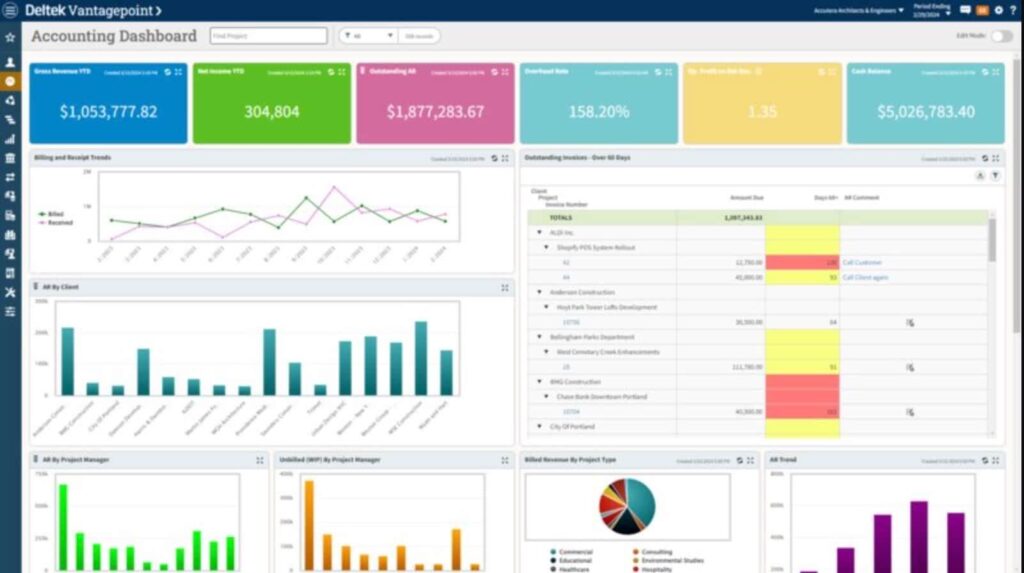
When an A&E firm starts outgrowing QuickBooks, the next step should begin with what the business needs to manage better.
The firm may need clearer project visibility, cleaner billing preparation, stronger reporting, resource planning, CRM structure, time and expense management, or a better way to connect project activity with financial performance.
Those issues often show up across daily work. Project managers may be waiting on accounting for budget updates. Business development may be tracking pursuits in separate spreadsheets. Leadership may be relying on manually built reports to understand utilization, backlog, and profitability. Accounting may be spending too much time gathering project details before invoices can go out.
Before choosing a new system path, the firm should get clear on where the current setup is holding the business back.
Useful questions include:
- Where are teams relying on spreadsheets to manage project information?
- Which reports take too much time to build?
- Where does billing preparation slow down?
- Can project managers see labor, budget, and project status early enough?
- Can leadership review utilization, backlog, and profitability with confidence?
- Is QuickBooks still working well for financial transactions and the general ledger?
- Does the firm need stronger project, CRM, planning, and reporting capabilities around its accounting system?
- Is the firm ready for a more complete A&E-focused business management system?
The answer may point in a few directions.
Some firms need stronger project management, CRM, planning, time and expense, and reporting capabilities while keeping QuickBooks Online in place for accounting.
Some firms are ready for a fuller move into a project-based system that connects more of the firm’s financial and operational activity. Some firms need a phased plan that gives accounting, project managers, business development, and leadership time to adjust.
Deltek Vantagepoint for A&E Firms
Once your firm knows what QuickBooks can still handle and where the current setup is limiting visibility, the next step is choosing a system path that matches how A&E work actually runs.
That is where Deltek Vantagepoint becomes the strongest option for many growing firms.
QuickBooks can handle core accounting. A&E firms also need a better way to manage the project work behind the numbers: pursuits, clients, budgets, labor, utilization, backlog, billing, staffing, profitability, and project performance.
Vantagepoint was built for that reality. Here’s How:
Built Around the A&E Project Lifecycle
Architecture and engineering firms do not run on accounting records alone.
They run on opportunities that become projects, projects that need budgets, budgets that depend on labor, labor that affects margin, and project performance that shapes the health of the firm.
Vantagepoint gives A&E firms one connected structure for CRM, project management, resource planning, time and expense, project accounting, financial management, reporting, and delivery.
That is what makes it stronger than trying to manage firm performance through QuickBooks, spreadsheets, disconnected project tools, and manual reports.
Better Visibility for Project Managers and Leadership
A&E leaders need clear answers to practical business questions.
What work is coming in? Who is available to do it? How are budgets tracking? Which projects are profitable? Where is labor being overused? Which teams are at capacity? Which clients or project types are driving the strongest margin?
Vantagepoint gives firms a better way to answer those questions from one project-based system.
That visibility matters because project performance drives firm performance. When project managers, principals, accounting, business development, and leadership can work from a clearer view of the same business, decisions get easier and reporting becomes more useful.
A Practical Path With QuickBooks Online Integration
Vantagepoint also gives firms flexibility as they move beyond a basic QuickBooks setup.
Deltek Vantagepoint natively integrates with QuickBooks Online through its Front Office Package. That means firms can use Vantagepoint for project management, planning, CRM, time and expense, and project visibility while QuickBooks Online continues handling financial transactions and the general ledger.
For growing A&E firms, this can be a practical first step.
The firm can strengthen the project side of the business first: pursuits, client relationships, project setup, labor planning, time and expense, utilization, billing preparation, reporting, and leadership visibility.
QuickBooks Online can stay in place where it still fits.
A Stronger Long-Term System for A&E Growth
Some firms eventually need more than a front-office layer around QuickBooks.
A fuller move into Deltek Vantagepoint can make sense when the firm wants project accounting, financial management, CRM, resource planning, time and expense, reporting, and project delivery in one A&E-focused system.
That path is especially relevant when the firm is dealing with duplicate entry, disconnected reporting, manual billing cleanup, limited project visibility, or weak confidence in project and financial performance.
Vantagepoint gives A&E firms a stronger foundation because it connects the project side and the business side of the firm in a system built for professional services.
How Hard Is It to Migrate from QuickBooks?

Moving beyond a QuickBooks-centered setup can feel difficult because it is rarely a simple software decision.
Your firm may need better project visibility, cleaner billing workflows, stronger reporting, CRM structure, resource planning, or a more connected way to manage financial performance. The right next step depends on where the current process is breaking down and how much change the team is ready to take on.
BCS ProSoft helps A&E firms sort through those decisions before they commit to a new system path.
That may mean keeping QuickBooks in place and adding stronger project management, CRM, planning, and reporting capabilities around it. It may mean preparing for a fuller move into an A&E-focused platform. It may mean phasing the change so accounting, project managers, business development, and leadership can adopt new workflows at a practical pace.
The goal is to choose the path that supports the firm’s operations without creating unnecessary disruption.
Clarify What Is Actually Causing Issues
Before choosing a system path, BCS ProSoft helps firms identify where the current setup is creating the most pressure.
That may include manual billing prep, disconnected project reports, spreadsheet-based resource planning, limited CRM visibility, duplicate entry, delayed labor reporting, or leadership dashboards that take too much effort to build.
Once those issues are clear, it becomes easier to decide whether the firm needs a better front-office layer, a fuller system move, or a phased approach.
Define the Right Next Step
Every firm does not need the same type of migration.
Some firms need stronger project management and reporting around their current accounting system. Some need better CRM and pursuit visibility. Some need a cleaner way to connect project managers, accounting, and leadership. Others are ready to move more of the firm into a project-based business platform.
BCS ProSoft helps firms compare those options and choose a practical direction based on their current systems, team capacity, project complexity, reporting needs, and growth plans.
Map the Workflows That Matter
The right system path should support the workflows that shape daily operations, including:
- Pursuit and client relationship management
- Project setup and planning
- Budget and labor review
- Time and expense entry
- Billing preparation
- Resource planning
- Project manager reporting
- Leadership dashboards
- Utilization, backlog, and profitability review
BCS ProSoft helps firms map these workflows before major system decisions are made, so the next move is based on how the firm actually works.
Support the Team Through Change
Migration can be difficult because different teams feel the change in different ways.
Project managers need better project visibility. Business development needs a clearer way to manage pursuits and client activity. Accounting needs billing and reporting workflows it can trust. Leadership needs reliable views of utilization, backlog, staffing, project margin, and firm performance.
BCS ProSoft helps firms plan around those role-specific needs so the transition is easier for the people using the system every day.
Move Forward With a Clearer Systems Plan
The next step after QuickBooks does not have to be decided in isolation.
BCS ProSoft helps A&E firms understand what is working, what is creating issues, which system path makes sense, and how to move forward at the right pace.
That gives the firm a clearer plan for improving project visibility, reporting, billing, CRM, and financial management without guessing its way through a major systems decision.
Conclusion on Outgrowing Quickbooks

QuickBooks works well for many A&E firms in the early stages. It can handle basic accounting, expenses, invoices, and financial records without adding too much complexity.
The pressure starts when the firm needs stronger project visibility. If billing, staffing, reporting, approvals, and project financials depend on too many manual workarounds, the system starts creating extra work for the people trying to manage the business.
That is often the point where firms begin looking at Deltek Vantagepoint. With the right implementation partner, like BCS ProSoft, A&E firms can connect accounting, project delivery, staffing, and reporting in one system built around how project-based work actually runs.
Key Takeaways
- QuickBooks can work well for smaller A&E firms with basic accounting needs, simple billing, and a manageable number of projects.
- As firms grow, the biggest issues usually show up in project visibility, billing workflows, reporting, staffing, and the amount of manual work required to keep everyone aligned.
- Heavy spreadsheet use is often a sign that the firm needs a stronger system for managing project budgets, labor, expenses, billing, and profitability.
- Multi-entity reporting, complex project billing, and disconnected tools can make QuickBooks harder to rely on as the firm adds more people, projects, locations, or business units.
- Deltek Vantagepoint gives A&E firms a more complete system for connecting accounting, project management, CRM, resource planning, reporting, and financial performance.
Frequently Asked Questions
Is QuickBooks bad for A&E firms?
QuickBooks is not bad for A&E firms. For many businesses, it is a practical starting point because it handles core accounting, expense tracking, invoicing, and basic financial records in a way most bookkeepers and accountants already understand.
The issue usually comes down to fit. As an A&E firm grows, it may need stronger project visibility, better approval workflows, more detailed audit trails, and clearer reporting across projects, teams, and leadership.
How do I know if my firm is outgrowing QuickBooks?
A firm may be outgrowing quickbooks when project managers cannot see current project financials, accounting spends too much time cleaning up reports, and leaders struggle to answer basic business questions without chasing numbers across multiple systems.
Another sign is the amount of manual effort needed to keep the firm aligned. If billing, project budgets, staffing, and reporting depend on repeated updates to the same data, the system may no longer match the way the firm operates.
What should A&E firms look for in a better system?
A&E firms should look for an accounting solution that supports project-based work, not only general financial management. That means stronger reporting by project, phase, client, principal, office, and team.
For mid sized businesses, the right system should also support business growth with better visibility into utilization, backlog, billing, revenue recognition, and financial performance. A stronger platform should help the firm manage core business processes without creating extra work for accounting, project managers, and leadership.
Why is Deltek Vantagepoint a strong QuickBooks alternative for A&E firms?
Deltek Vantagepoint is built for project-based professional services firms, including architecture and engineering firms. It gives growing companies a unified platform for accounting, project management, CRM, resource planning, billing, time and expense, and reporting.
That matters because an A&E firm needs more than accounting software once the business scales. Project managers, accounting, leadership, and the sales team need better access to real time project and financial information so decisions are based on current business activity.
Can QuickBooks handle firms with multiple offices, entities, or locations?
QuickBooks may work for a smaller firm with a single entity and a simple operating model. Firms with multiple locations, separate business units, or more complex ownership structures may eventually need stronger multi entity management and consolidated reporting.
This is where multiple entities quickbooks limitations often become more noticeable. Leadership may need clearer visibility across the full firm, while accounting may need better support for compliance reporting, intercompany activity, and financial reporting that spans more than one entity.
What about QuickBooks versions like Online, Desktop, or Enterprise?
Quickbooks online can work well for firms that need cloud-based access and basic accounting features. quickbooks desktop may still be used by firms that prefer a locally installed system or have older processes built around it.
quickbooks desktop enterprise and quickbooks enterprise can offer advanced capabilities compared with entry-level versions, but A&E firms may still run into limits when they need deeper project accounting, enterprise resource planning, resource planning, and one unified system for the full project lifecycle.