QuickBooks is often the first stop for small businesses looking to get their finances in order. It’s user-friendly, affordable, and gets the job done—until it doesn’t. If you’re starting to feel like you’re pushing QuickBooks to its limits, trust me, you’re not alone. We’ve worked with plenty of QuickBooks users who hit that ceiling and knew it was time for a change but weren’t sure what to look for next.
That’s where Sage Intacct comes into the picture. It’s a cloud-based accounting system built for growing businesses that need more than just basic accounting features. Think of it as moving from a charming starter home to one that actually has the space you need, without the creaky floors and outdated kitchen.
In this blog, I’ll walk you through the signs that it’s time to move on from QuickBooks, how Sage Intacct vs Quickbooks compares, and what you need to know to make the switch with confidence.
Has Your Professional Services Finance Team Outgrown QuickBooks?
You probably already know the answer. The real question is what’s it costing you: slow closes, blind spots on project profitability, manual multi-entity rollups, revenue recognition headaches, and a finance team buried in spreadsheets.
Our free e-book lays out the five clearest signs it’s time to move on, and shows what firms gain after switching to Sage Intacct.
Feature-by-Feature Comparison: QuickBooks vs Sage Intacct
| Feature | QuickBooks | Sage Intacct |
|---|---|---|
| Financial Management | Basic core financials (general ledger, accounts payable, accounts receivable) suitable for small businesses. | Advanced financial management with multi-entity accounting, multi-currency support, and real-time consolidations. |
| Reporting & Dashboards | Limited reporting capabilities with mostly static reports; requires exporting to Excel for customization. | Advanced financial reporting with real-time, customizable dashboards and multi-dimensional reporting. |
| Automation & Efficiency | Basic automation (e.g., recurring invoices, some bank reconciliations); manual intervention often required. | Robust automation features for processes like accounts payable, revenue recognition, and expense tracking. |
| Scalability & Flexibility | Best suited for small businesses; struggles with complex needs or high transaction volumes. | Scales with growing businesses; supports multiple entities, increasing users, and complex workflows. |
| Compliance & Security | Basic compliance features; limited support for industry-specific regulations. | Strong compliance with standards (e.g., GAAP, IFRS) and enhanced security measures, including audit trails. |
| Multi-Entity Management | Limited or no native support for multi-entity management; requires manual workarounds. | Built-in multi-entity accounting with easy consolidations and support for global operations. |
| Industry-Specific Solutions | General-purpose accounting software without specialized tools for specific industries. | Tailored solutions for industries like nonprofits, SaaS, healthcare, and professional services. |
| Integration Capabilities | Basic integrations with common tools like PayPal and Shopify; limited scalability. | Extensive integration capabilities with CRM, ERP, and other business systems for seamless workflows. |
| User Interface | Simple and user-friendly interface designed for non-accountants. | Intuitive yet powerful interface designed for accounting professionals and growing teams. |
| Pricing | More affordable, ideal for small business owners with basic needs. | Higher upfront cost but offers better ROI for growing businesses needing advanced features. |
Looking at alternatives beyond QuickBooks? We’ve also compared Sage Intacct with another popular enterprise solution in our Sage Intacct vs NetSuite guide.
Real-World Benefits of Switching to Sage Intacct

Source: Sage.com
Switching to Sage Intacct is about solving real problems that QuickBooks users face every day. Here’s a detailed checklist of the tangible benefits businesses experience after making the move:
Faster Month-End Closes
- Automate consolidations across multiple entities, cutting down close times from weeks to days.
- Real-time access to core financials means no more waiting on manual data entry.
- Built-in workflows for approvals and journal entries speed up the closing process.
Improved Financial Visibility
- Real-time dashboards and advanced financial reporting give you deeper insights into cash flow, revenue, and expenses.
- Multi-dimensional reporting allows you to slice data by product, department, region, or project—without the need for spreadsheets.
- Accurate, real-time data helps accounting professionals and decision-makers make better business decisions faster.
Stronger Cash Flow Management
- Automated accounts receivable and accounts payable processes improve collection times and optimize payment schedules.
- Real-time cash flow tracking lets you forecast and plan with greater accuracy.
- Built-in expense tracking tools help control spending across departments and entities.
Scalable Multi-Entity Management
- Consolidate financials from multiple entities and multiple locations with just a few clicks.
- Support for multi-currency and global operations eliminates the need for manual conversions.
- Intercompany eliminations and reconciliations are automated, saving hours of manual work.
Increased Operational Efficiency
- Automate complex processes like revenue recognition, order management, and bank reconciliations.
- Reduce manual data entry with seamless integration to CRM, payroll, and other business systems.
- Built-in workflows improve collaboration between finance and other departments.
Enhanced Compliance & Audit Readiness
- Strong audit trails and user permissions protect sensitive data and ensure regulatory compliance (e.g., GAAP, IFRS).
- Industry-specific features help businesses in regulated sectors (like nonprofits or professional services) stay compliant.
- Automated processes reduce human error, making audits smoother and less time-consuming.
Cost Savings Over Time
- Although Sage Intacct has a higher upfront cost than QuickBooks Online, it delivers long-term ROI through improved efficiency.
- Reduce reliance on third-party apps and manual processes, cutting down on operational costs.
- Streamlined workflows lower staffing costs and free up your finance team for more strategic work.
Better Decision-Making
- Access real-time, accurate data that helps leadership make informed decisions.
- Use multi-dimensional reporting to understand profitability by product line, customer segment, or location.
- Predict trends and plan future business strategies with improved financial reporting.
Improved Scalability for Growing Businesses
- As your company grows, Sage Intacct scales with you—whether you’re adding multiple users, expanding to new markets, or managing more complex business entities.
- Supports everything from small businesses transitioning from QuickBooks to medium-sized businesses with complex financial processes.

Happier Accounting Teams
- Reduce the time your team spends on manual, repetitive tasks, freeing them up for more strategic work.
- Intuitive dashboards and automation reduce the need for constant spreadsheet juggling.
- Your accounting professionals will thank you for moving to a system that actually makes their jobs easier.
Enhanced Integration Capabilities
- Sage Intacct offers robust integration capabilities with CRMs like Salesforce, payroll systems, and other ERP systems.
- No more jumping between multiple systems: data flows seamlessly between platforms, saving time and reducing errors.
Industry-Specific Benefits
- Nonprofits benefit from fund accounting and grant management tools.
- SaaS companies love the revenue recognition features and subscription billing.
- Professional services firms can track time, expenses, and project profitability with ease.
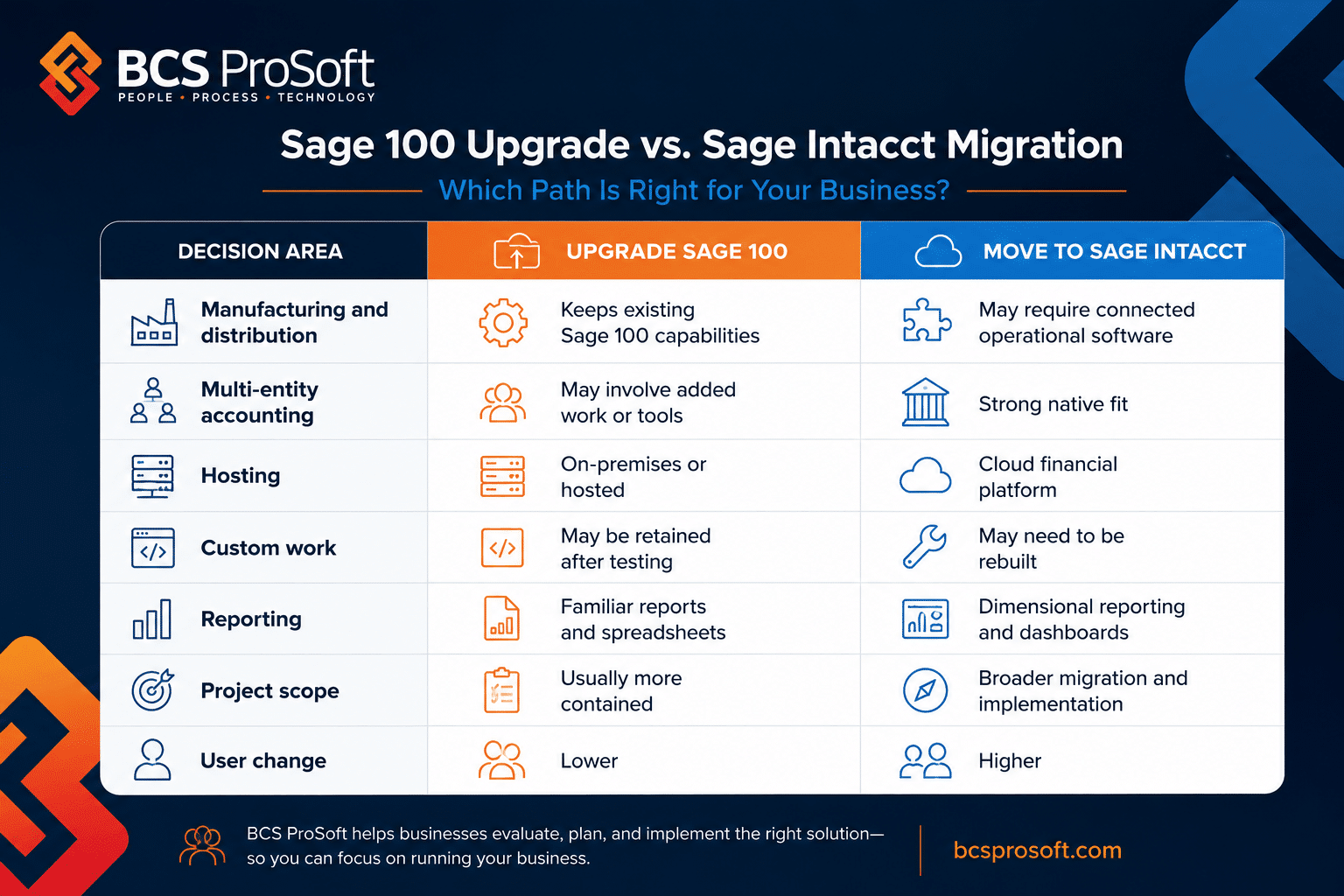
If you’re comparing Sage Intacct to other solutions like Sage 100, check out our detailed breakdown of Sage 100 vs Sage Intacct to see how they stack up for growing businesses.
Getting Started with Sage Intacct and BCS ProSoft
Switching to a new accounting system isn’t something you do on a whim. It requires planning, expertise, and the right partner. That’s where BCS ProSoft comes in.
We specialize in helping small business owners and medium-sized businesses transition from QuickBooks to Sage Intacct smoothly. Our team handles everything—from data migration and training to customizing your new system to fit your unique business processes.
We know the quirks of both systems (QuickBooks and Sage Intacct) and can help you avoid common pitfalls during the switch.
If you’re considering a move to a cloud-based solution but still weighing options within Sage’s ecosystem, our Sage 100 vs Sage Partner Cloud comparison can help guide your decision.
Conclusion on Sage Intacct vs Quickbooks

Outgrowing QuickBooks isn’t a bad thing—it’s a sign your business is growing and evolving. But staying with a system that no longer meets your needs can hold you back.
Sage Intacct offers the advanced features, scalability, and industry-specific solutions that growing businesses need. With BCS ProSoft by your side, making the switch is easier than you might think.
Ready to explore your options? Reach out today, and let’s talk about how we can help your business take the next step.
Frequently Asked Questions
How much does Sage Intacct cost per year?
The cost of Sage Intacct varies based on your business size, selected modules, and the number of users. This pricing reflects its robust accounting solution designed for growing companies with more complex accounting processes. While it may be a higher investment than QuickBooks Online, many businesses find the added automation and advanced reporting capabilities provide a significant return on investment over time.
Is Sage Intacct similar to QuickBooks Online?
While both Sage Intacct and QuickBooks Online are cloud-based accounting software platforms, they cater to different business needs. QuickBooks Online is great for startups and small businesses with simple financial requirements, but it often falls short as companies grow and need more robust features. Sage Intacct, on the other hand, is built for businesses that require advanced accounting processes, such as multi-entity management, real-time financial reporting, and more in-depth automation. It also offers more flexibility for scaling businesses that need stronger controls and deeper insights.
Is Sage good for bookkeeping?
Yes, Sage Intacct is highly regarded for bookkeeping but offers much more than just tracking debits and credits. It’s an end-to-end accounting software solution that handles everything from accounts payable and accounts receivable to expense tracking, revenue recognition, and multi-entity consolidations. While QuickBooks Online covers basic bookkeeping needs, Sage Intacct is ideal for businesses looking for a more comprehensive tool that supports complex accounting processes and offers greater efficiency through automation.